How to Transfer a Domain to Another Registrar
Transferring a Domain from RX-NAME to Another Registrar
A domain transfer requires obtaining an Authorization Code (Auth-code) and disabling all restrictions that may prevent the transfer. Below is a step-by-step guide.
Checking Transfer Locks
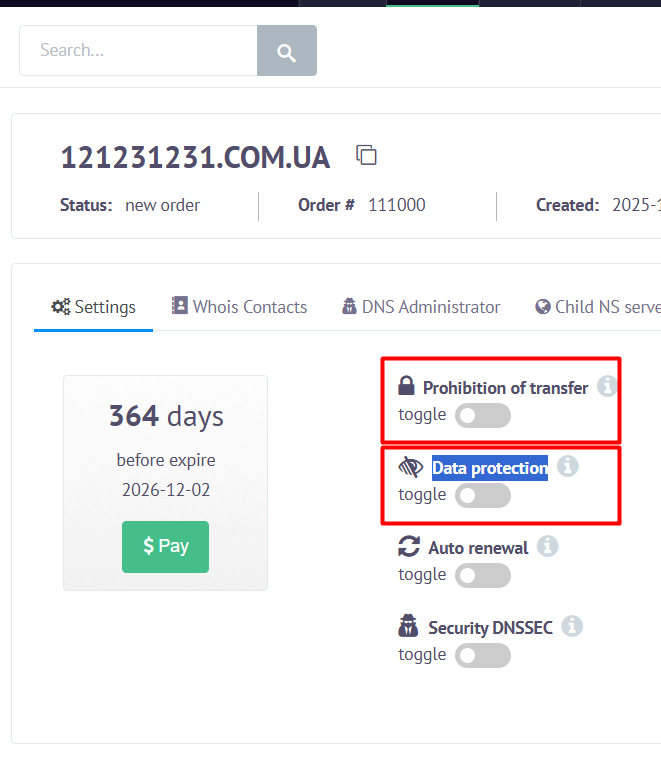
Before starting the transfer, you need to disable two switches in your account:
1) Prohibition of transfer
This is a lock that prevents the domain from being transferred. If the switch is active, the transfer is not possible.
2) Data protection
This is the WHOIS Privacy feature.
In most domain zones, privacy must be disabled before initiating a transfer; otherwise, the new registrar may not accept the code, or confirmation emails may not be delivered.
How to disable both switches:
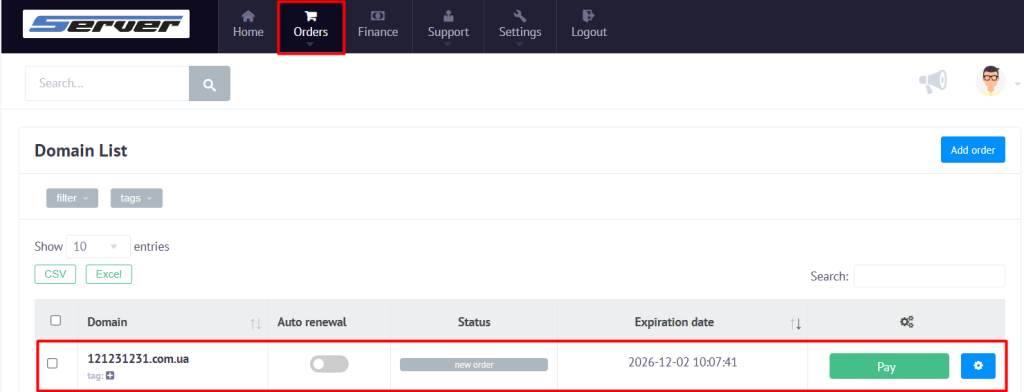
1. Log in to your account.
2. Go to Orders → Domain name.
3 .Select the domain from the list.
4. Locate the two parameters:
- Prohibition of transfer
- Data protection
5. Disable both (the switches must be in the inactive position).
⚠ Important
For domains registered or transferred to RX-NAME, transferring to another registrar becomes available only after 60 days from the date of registration or transfer.
For domains registered under promotions (promo):
- Prohibition of transfer often cannot be disabled
- This is a restriction of the domain zone and cannot be removed technically
- According to the terms of some promotions, domain transfers may be blocked for a certain period of time
Obtaining the Authorization Code (Auth-code)
1. In your account, go to Orders → Domain name.
2. Open the required domain.
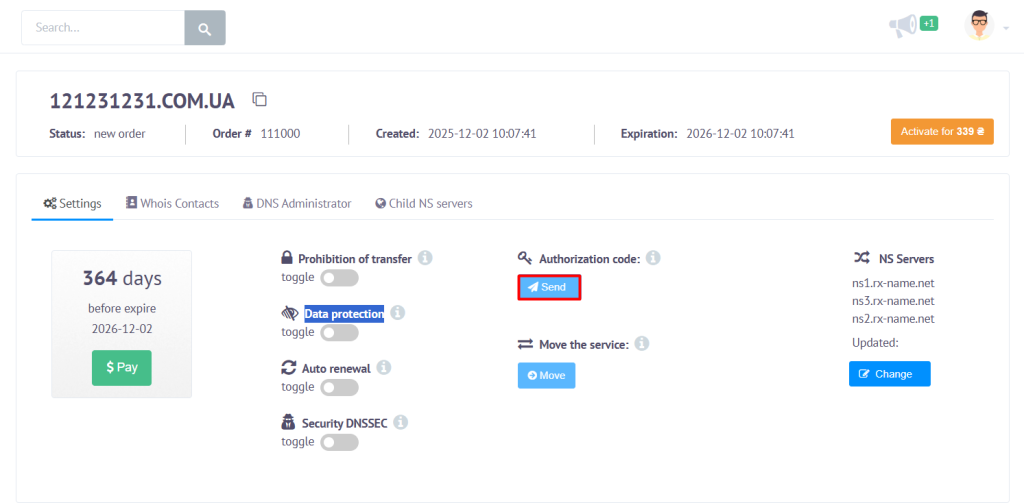
3. Find the section Authorization code:
4. Click Send — the system will send the code to the email address listed in WHOIS.
If the Code Does Not Arrive
- Check your Spam / Junk folder.
- Make sure the contact email is correct:
Settings → Whois contacts - If the issue persists — contact support, and we will send the code manually.