How to Create a Website with Sitejet Builder in Plesk
Creating a website in Sitejet Builder
What is Sitejet Builder
Sitejet Builder is a website builder integrated into Plesk that allows you to create a website without installing a CMS or having programming skills.
It can be used to create:
- company websites;
- landing pages;
- blogs;
- portfolios;
- personal websites.
Sitejet also includes AI tools for generating content and building website pages.
Opening Sitejet Builder
- Log in to Plesk.
- Open the Websites & Domains section.
- Select the required domain.
- Click Sitejet Builder.
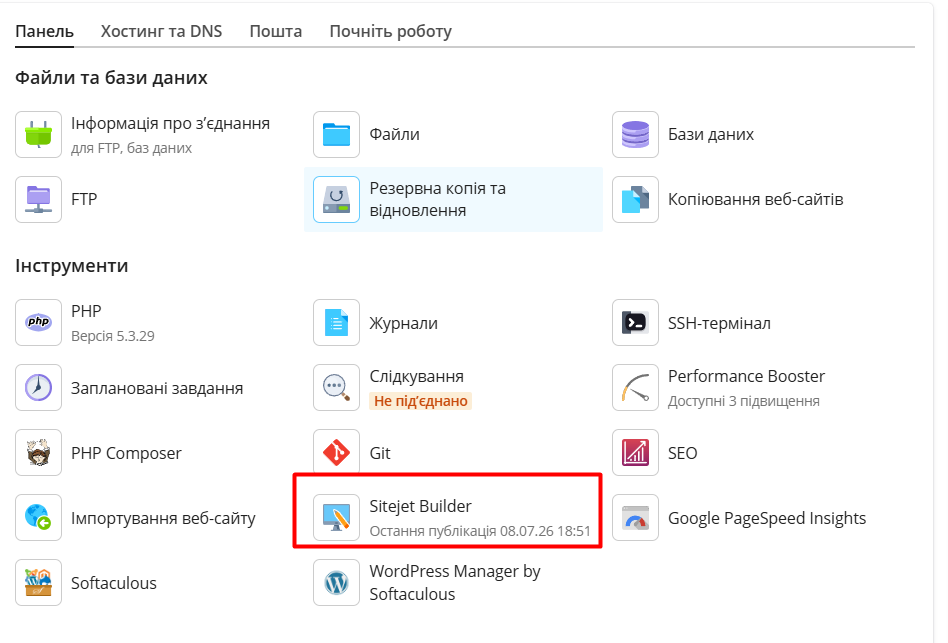
If no website has been created yet, click Create Website.
Creating a Website
After launching the builder:
- Choose a template or start from scratch.
- Enter your website name and business category.
- Use AI tools if you want to generate content automatically.
- Wait until the website structure is created.
The visual editor will then open automatically.
Editing the Website
You can:
- edit text;
- add new blocks;
- upload images;
- create additional pages;
- add contact forms;
- change colors and layout.
No coding is required.
Publishing the Website
When your website is ready, click Publish.

The website will become available online immediately after publication.